 Polar Bear 2026
Free guide
How to Make Your Own Polar Bear 2026 Meme
You do not need special software or to pay anyone. A phone video editor, a picture and one line of text are enough. Here are four versions you can make, from the classic to the countdown.
Short answer
Take a polar bear picture (or your own photo), add the caption “Remember November 2026 is coming” in big white text, put an eerie or slow song underneath, and export it as a vertical 9:16 video. Any free phone video editor can do this in a few minutes. Swap the date to make a 2027 or 2028 version.
- Time
- About 10 minutes
- Cost
- Free
- Format
- Vertical video, 9:16
- Works for
- 2026, 2027, 2028 or any date
What you need
- A phone or computer with a free video editor. Most phones include one, and free editing apps can add text, music and effects.
- A picture. Your own photo, your pet, or a polar bear image you are allowed to use.
- A caption. The classic is “Remember November 2026 is coming.”
- A sound. Something slow, eerie or dramatic. Many creators use trending sounds directly inside TikTok or Instagram so they are licensed for the platform.
1. The classic: “Remember November 2026 is coming”
This is the original look: a polar bear at night, staring at you.
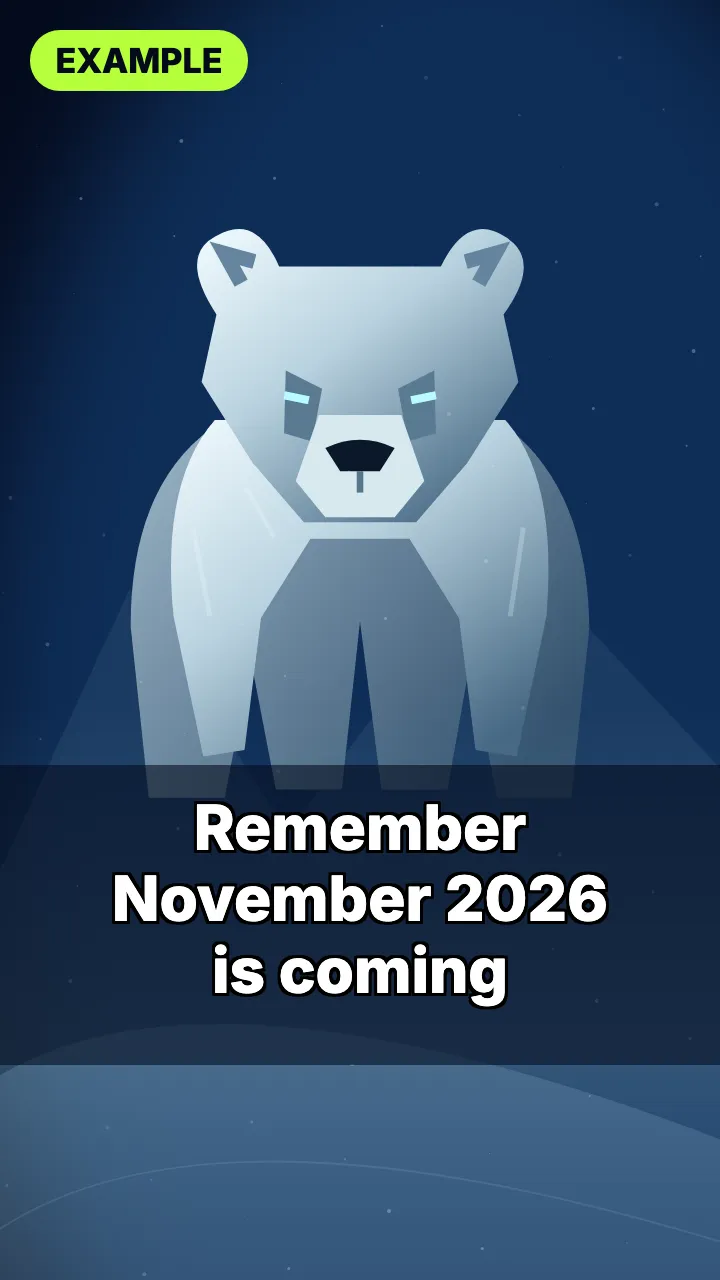
- Start a vertical project in your editor, at 9:16 (for example 1080 × 1920).
- Add your polar bear picture and let it fill the screen. A dark, snowy background works best.
- Add a slow zoom toward the bear’s face over a few seconds. Most editors call this “zoom”, “Ken Burns” or a keyframe animation.
- Add the caption near the bottom in bold white letters: Remember November 2026 is coming.
- Add a sound and keep the video short, between 5 and 15 seconds.
- Export and post. Adding the hashtags #polarbear2026 and #november2026 helps people find it.
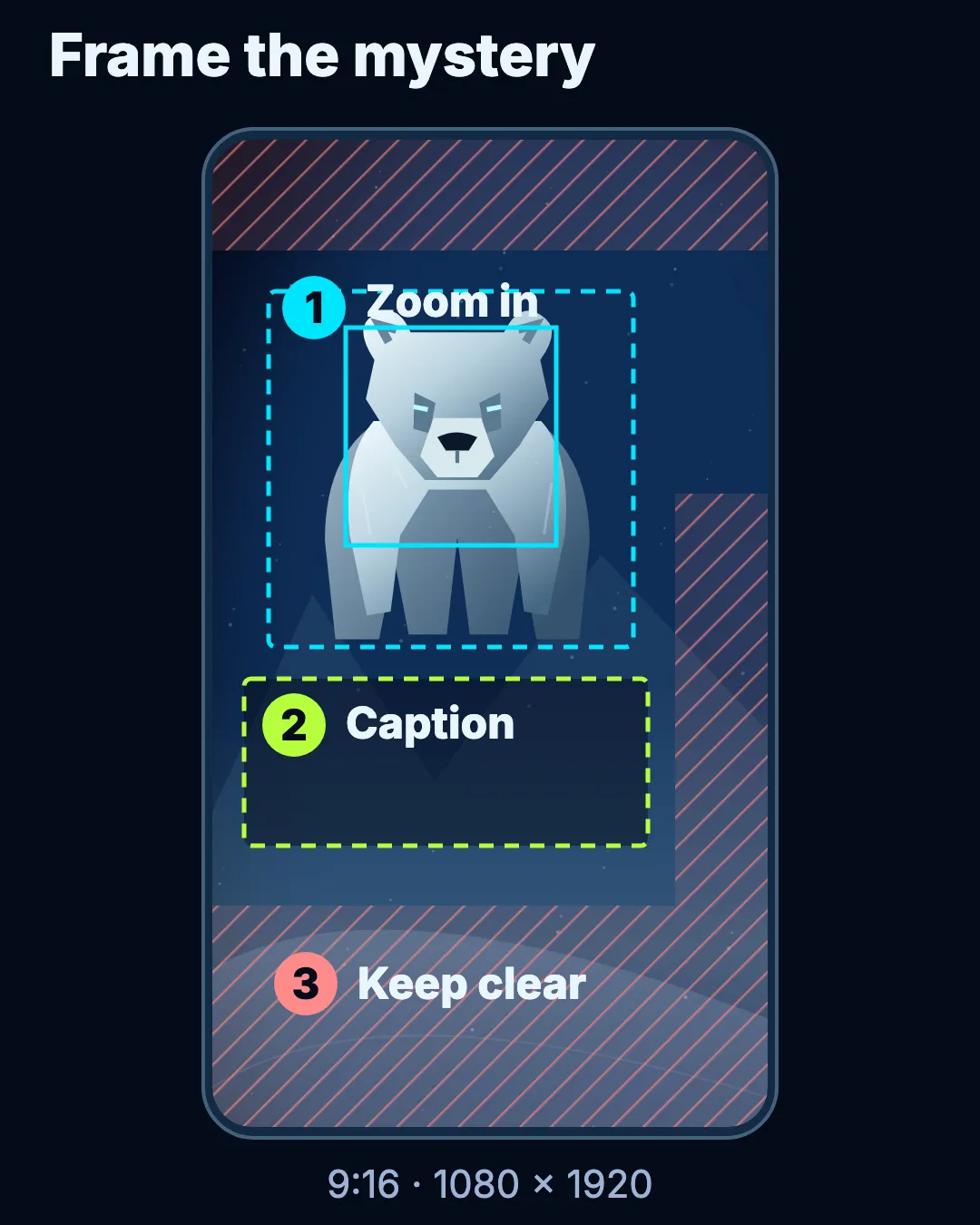
- 1. Zoom in. Put the bear in the upper middle and zoom slowly from the dashed frame to the solid one over 5 to 10 seconds.
- 2. Caption. Put the line in the middle band in big white letters with a black outline. Two lines at most, because most people watch with the sound off.
- 3. Keep clear. TikTok, Reels and Shorts cover the top, the bottom and the right edge with buttons and text, so leave those areas empty.
2. Me as the polar bear
Put yourself in the meme.
- Take a straight-on selfie in good light, without sunglasses or heavy filters.
- In your editor, place the selfie over the polar bear picture, or use a sticker or face effect that adds bear ears and white fur.
- Keep the same caption and slow zoom so people recognise the format.
Only use your own face, or a friend who has agreed to it.
3. Your pet as the polar bear
Dogs and cats make very convincing bears.
- Get a close-up where both eyes are visible, ideally when your pet is calm and still.
- A plain background, like a couch or floor, makes editing easier.
- Add a cold, blue-tinted filter, some falling snow (many editors have a snow overlay) and the caption.
4. The polar bear behind you
A jump-scare style edit.
- Film or photograph yourself with some empty space behind you.
- Add the polar bear picture as a second layer, behind or beside you, and set it to fade in slowly.
- Act as if you have not noticed it. It is funnier if you never look back.
- Keep it obviously a meme. Do not use fake emergency alerts or news-style captions.
5. The calendar countdown
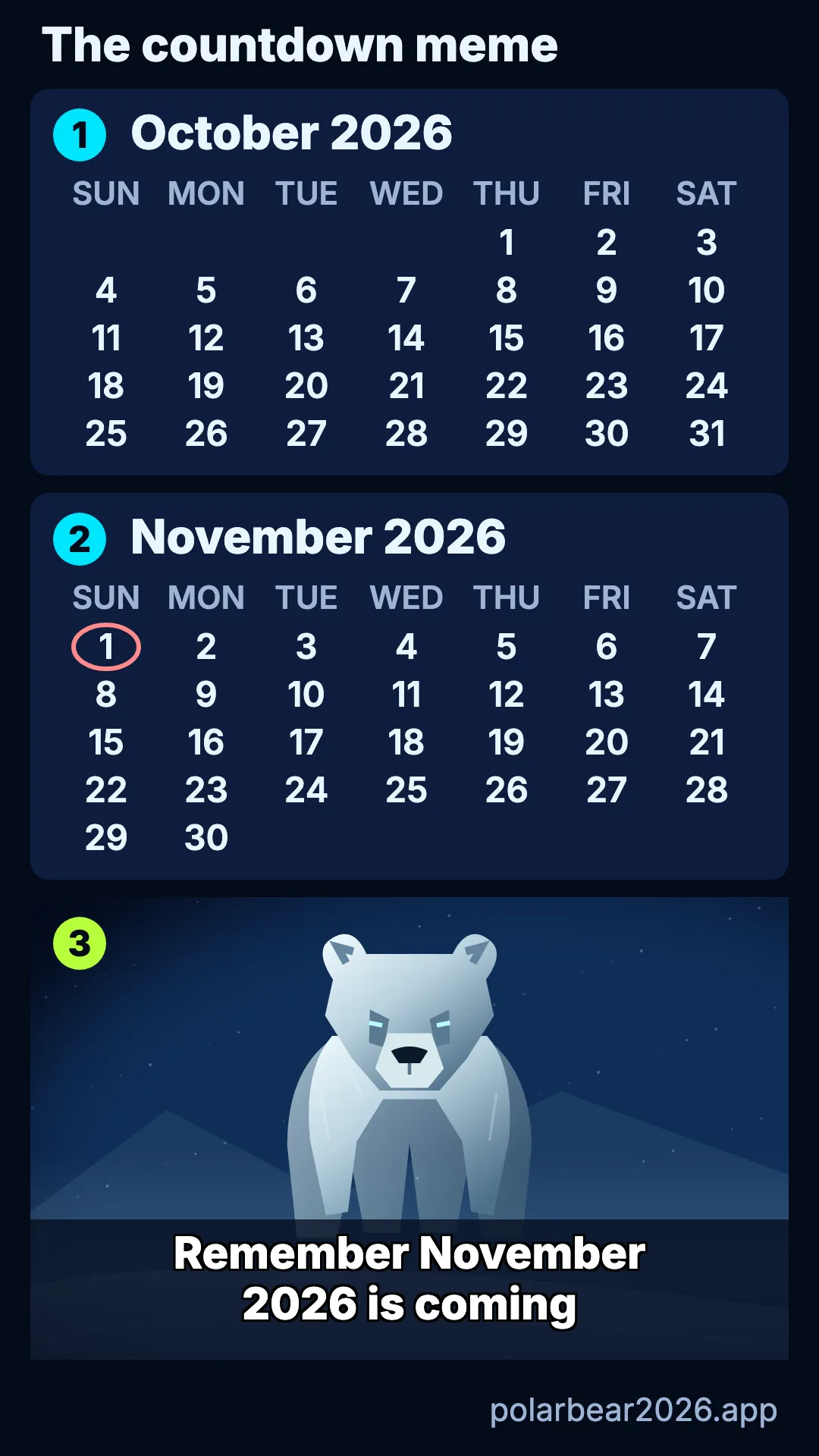
A calendar page flips toward the date while the bear waits.
- Make a few slides showing calendar pages: October, then November 2026.
- Put the bear underneath or at the end.
- End on the caption, or on your own date. Birthdays, exam days and holidays all work: “Remember my birthday is coming.”
Countdown edits do best when you post them in the days before the date.
Make a 2027 or 2028 version
The format works for any year:
- 2027: use a strange bird image and “Remember 2027 is coming”. Read about the 2027 bird meme for the look.
- 2028: use an eerie elephant and “Save the Elephants 2028” or “Remember 2028 is coming”. See the 2028 elephant meme.
Tips that make it work
- Keep it short. Under 15 seconds is plenty.
- Big, readable text. Most people watch with the sound off.
- Stay a little creepy, never harmful. The meme is a joke about a date. It should never look like a real warning.
- Respect people’s images. No photos of strangers or children, and nothing posted without permission.
Frequently asked questions
Can I use any polar bear picture?
Only use pictures you have the right to use: your own photos, images you made yourself, or images whose licence allows reuse. Many stock and wildlife photos are copyrighted.
What caption should I use?
The classic line is “Remember November 2026 is coming.” For other years, use “Remember 2027 is coming” or “Save the Elephants 2028”. Short and ominous works best.
What size should the video be?
Use a vertical 9:16 format, such as 1080 by 1920 pixels. That fills the screen on TikTok, Instagram Reels and YouTube Shorts.
Can I put someone else’s face in the meme?
Only with their permission. Use your own photo, or a friend who has said yes. Never use a photo of a child or a stranger.
Is there a tool on this site that makes the video for me?
No. This site explains the meme and shows you how to make it yourself. Everything in this guide can be done with free apps you probably already have.